PDFreflow / Guides
Read a PDF in dark mode on Android or iPhone, photos untouched
A PDF brings its own white paper. At night that page is a lamp in your face, and the usual fix, inverting it, turns every photo and chart into a negative. Here is what each way of darkening a PDF does to the pictures in it.
The system dark theme
Android's dark theme and the iPhone's Dark Mode darken the app around a document, not the document. A PDF is a printed page with its colors fixed in the file, so it stays black text on white.
Invert the colors
Many PDF viewers have a night mode that inverts the page, and Android's Color inversion and the iPhone's Classic Invert do the same to the whole screen. Text comes out light on dark, which is what you wanted. Everything else is inverted too: a blue sky turns orange, faces turn into film negatives, and a chart's colors no longer match its legend.
Reflow the text into a dark theme
A reflowing reader takes the text out of the page and sets it again in your own colors, so it can leave the pictures alone. In PDFreflow the text is drawn in your palette, and photos, figures and charts are shown exactly as they are in the PDF. Formulas and tables follow your palette like the text, so they stay readable on a dark background.
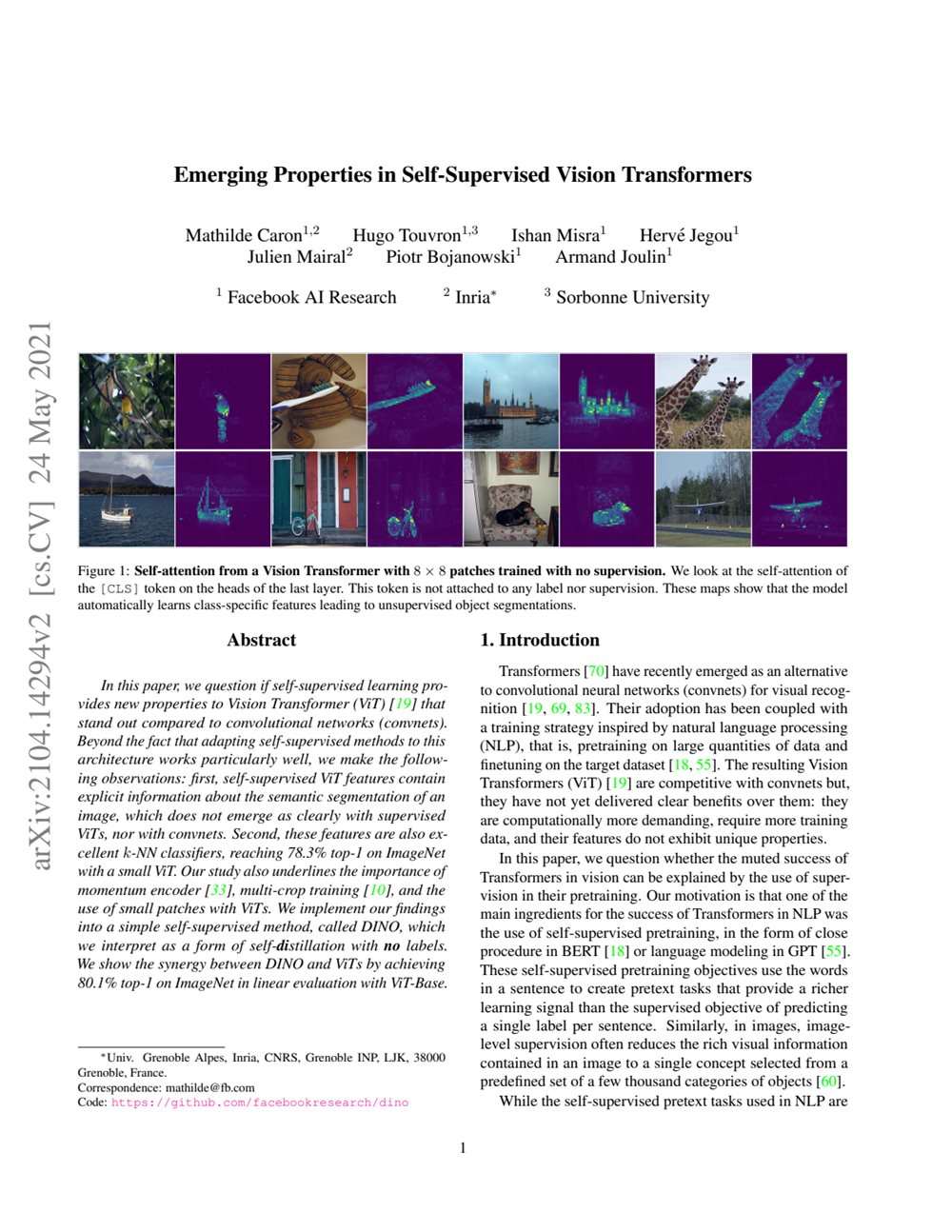
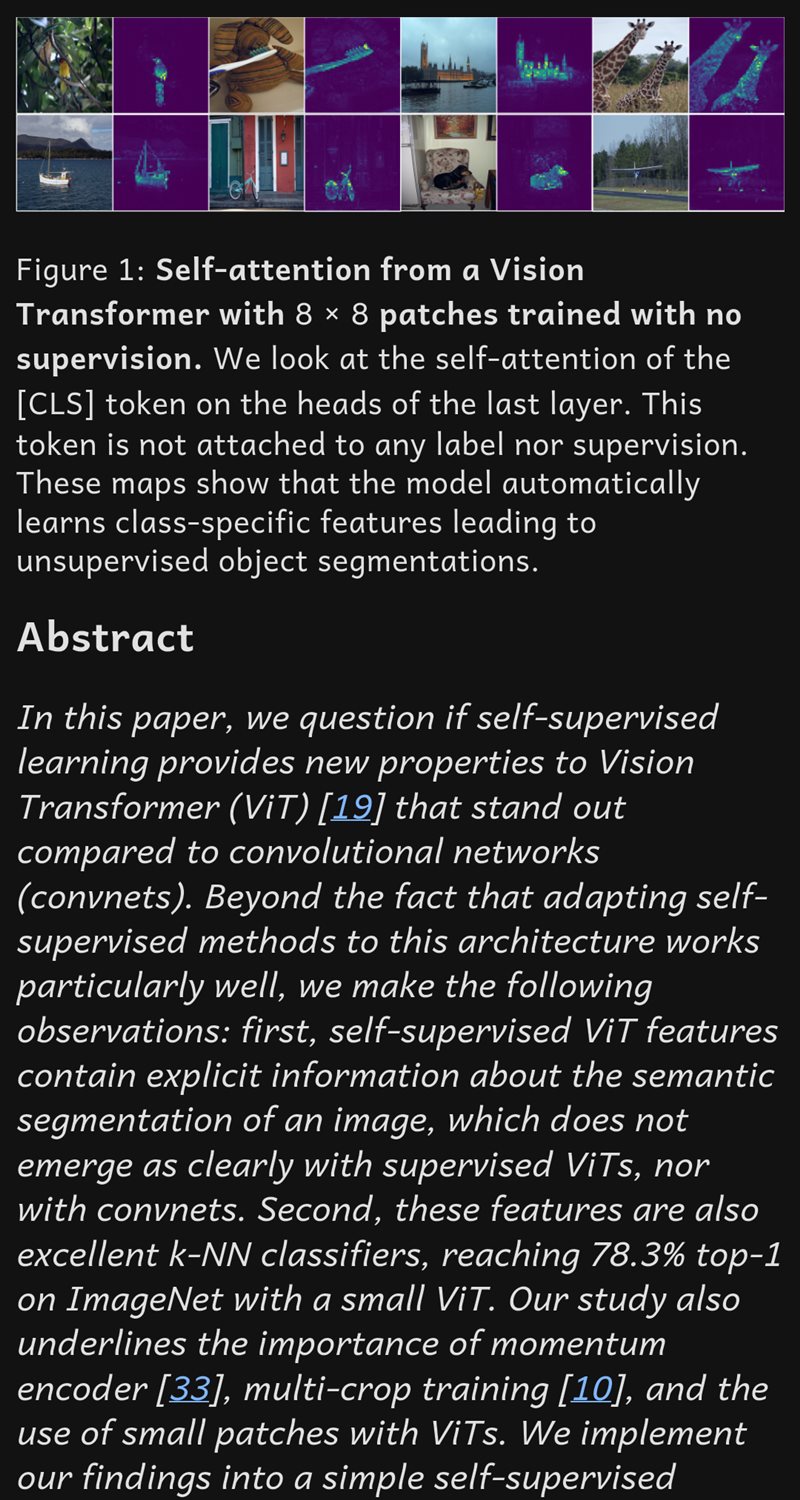
Page 1 of a computer vision paper. Left: the PDF as printed. Right: the same page in PDFreflow, from Figure 1 into the abstract, in the Material Dark palette. The photos are the PDF's own pixels; only the text changed color.
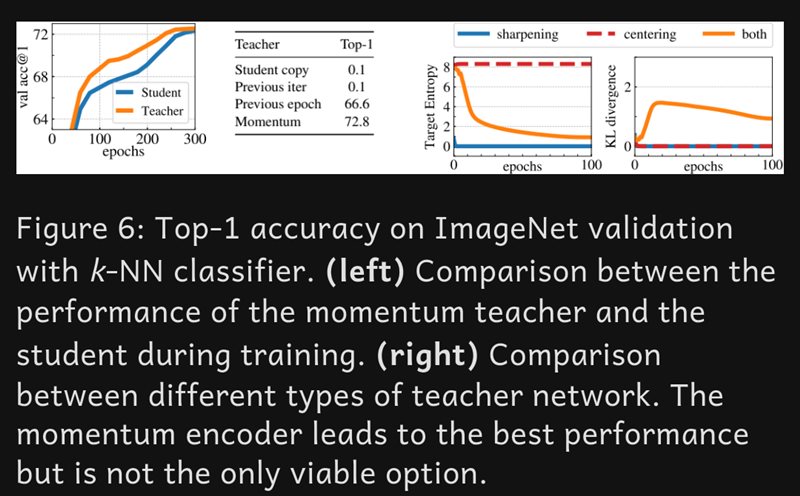
Figure 6 of the same paper, in the same dark palette: the charts keep their white background and their line colors, so the legend still reads right.
From “Emerging Properties in Self-Supervised Vision Transformers”, Mathilde Caron, Hugo Touvron, Ishan Misra, Hervé Jégou, Julien Mairal, Piotr Bojanowski and Armand Joulin, arXiv:2104.14294, 2021, © 2021 the authors, licensed under CC BY 4.0. Cropped and reflowed by PDFreflow.
Dark mode in PDFreflow is a palette, not a filter: you pick the background and text colors, and light mode, fonts and text size are yours to choose too. All of it happens on your phone; your file never leaves it.
Try it
On Android, PDFreflow is on Google Play. On iPhone and iPad it is on Apple's TestFlight: install TestFlight from the App Store, then tap the App Store button below; it opens PDFreflow in TestFlight.
Free to try: the first 30 pages of every document are free. Longer documents: €9.99 Early Bird for the one-time Premium unlock. Pay once, read everything: all your documents, now and in the future. No subscription, nothing to pay per document.
Works with text-based PDFs. Scanned documents aren't supported.